
LATTEMOCHA
Change LATTE to MOCHA, keep the price
This real cafe-menu edit replaces LATTE with MOCHA. The $4.50 price stays outside the selection, as do the ESPRESSO row and menu heading.
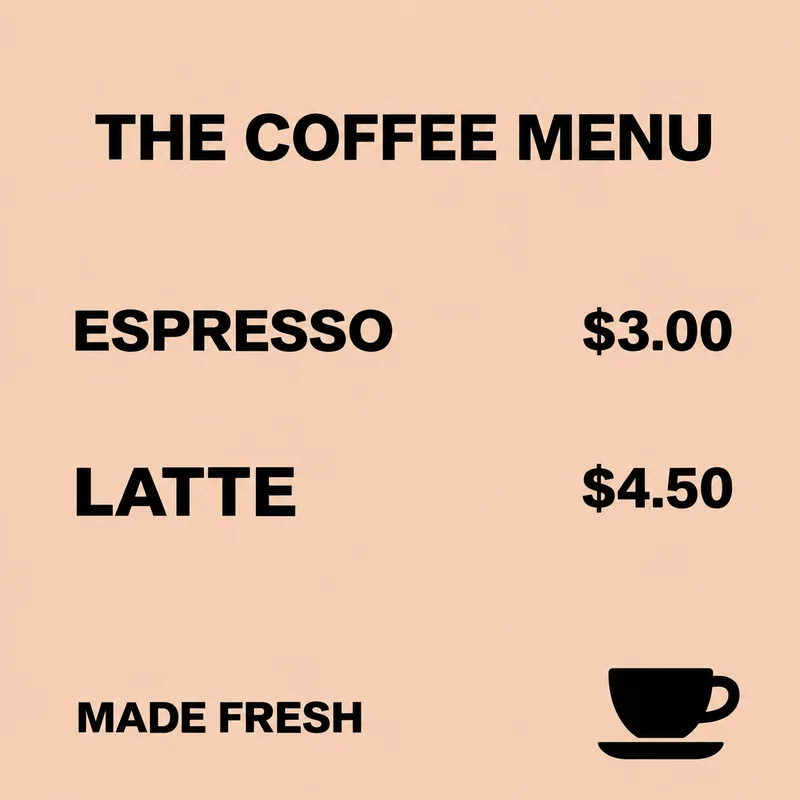
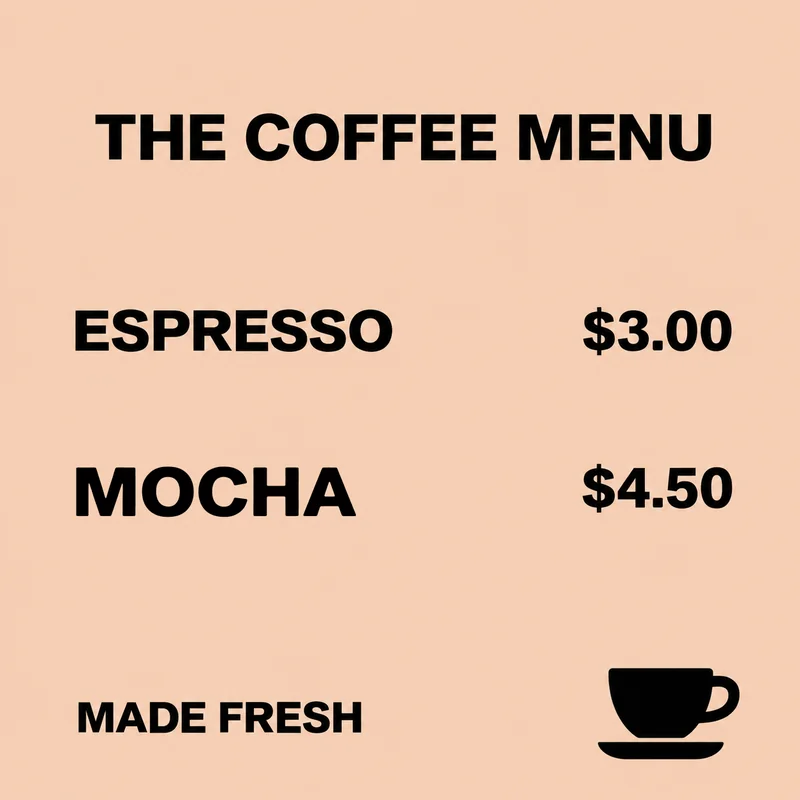
Rename a drink or dish on a finished menu graphic. Select its name while keeping the adjacent price outside the box.
Up to 60 characters. One block of printed Latin text.
LATTEMOCHA
This real cafe-menu edit replaces LATTE with MOCHA. The $4.50 price stays outside the selection, as do the ESPRESSO row and menu heading.
Use a digital menu export with a large, readable Latin item name on a solid color or smooth gradient. Keep the adjacent price and neighboring rows outside your selection. Check the gap between the name and price: a longer name needs room in that same row. If your menu only has tightly packed small text, it may not pass the free check.
One clear text region on a flat or smooth-gradient background. Opaque PNG, JPEG or WebP; up to 10 MiB and 16 megapixels. Latin text and numbers only. The interface is available in English and Simplified Chinese; Chinese image text editing is not supported.
The free check comes first. In rejectable mode, 1 credit is charged only if you keep the result. With no free rejections left, delivery charging requires your confirmation before generation. Technical failures return the held credit.
Update a featured drink or rename one item on a cafe menu image you control. Review the rest of that item’s information before sharing the new graphic. An image edit does not update ordering software, ingredient information or other printed and digital copies of your menu.
Download an opaque PNG at the original image dimensions. Pixels outside your selected box are preserved. Inspect every changed letter and number before publishing; matching a font inside the box is not guaranteed.
This page does not rebuild a menu table or update a column of prices in one operation. Separate names and prices require separate selections and edits. Photos of chalkboards, laminated menus, handwriting and text over food photography are unsupported. A longer name may not fit without changing the layout in the original design file.
Yes. Leave the price outside the selected box, as in the LATTE to MOCHA example. Pixels outside the box stay unchanged.
No. Each edit replaces one text region. A dense menu table is better updated in its original design file.
Check the space before the price and widen the box only within that clear area. If the new name needs the row rearranged, use the source design.
No. This edits the uploaded image only. Check the item’s description, ingredients and ordering information separately before publishing.